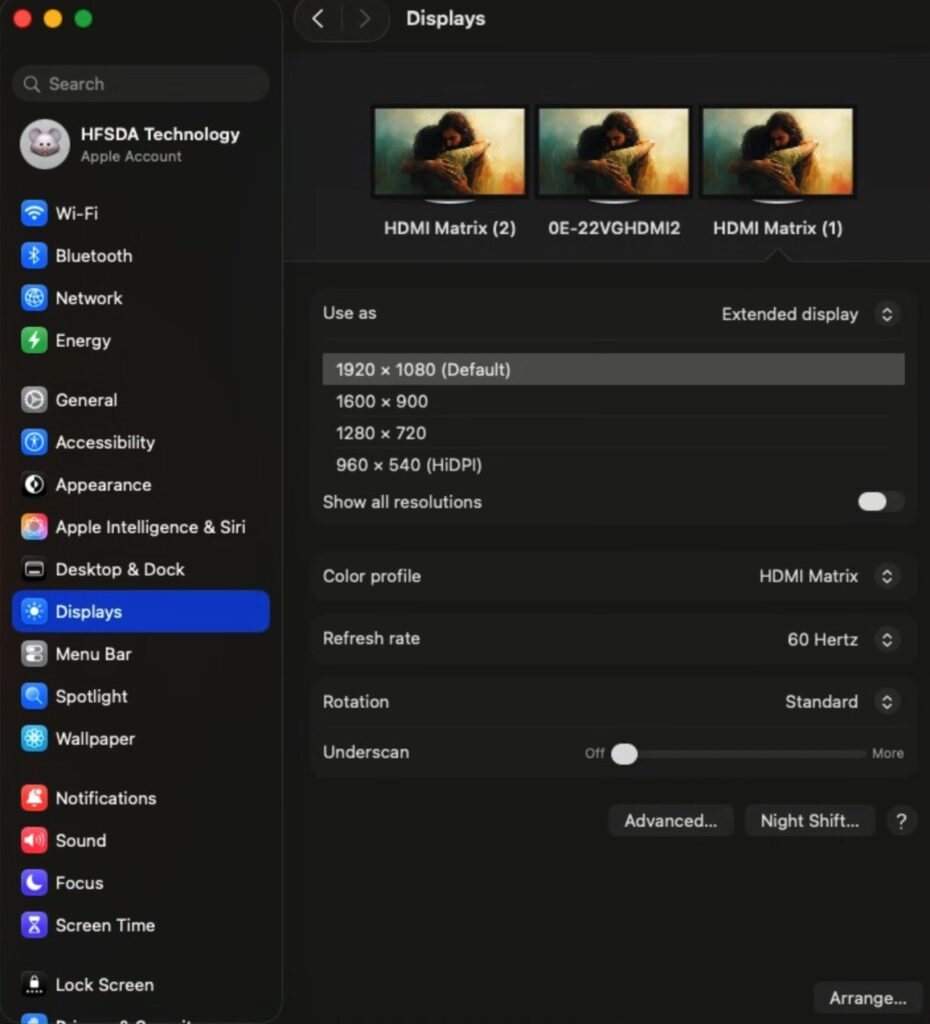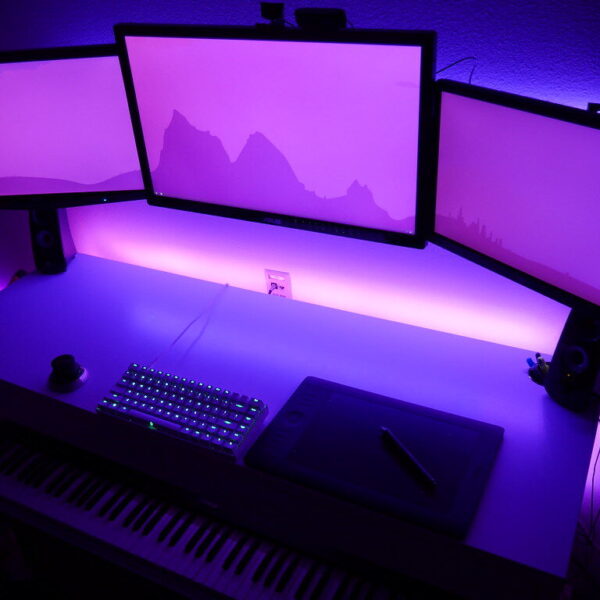
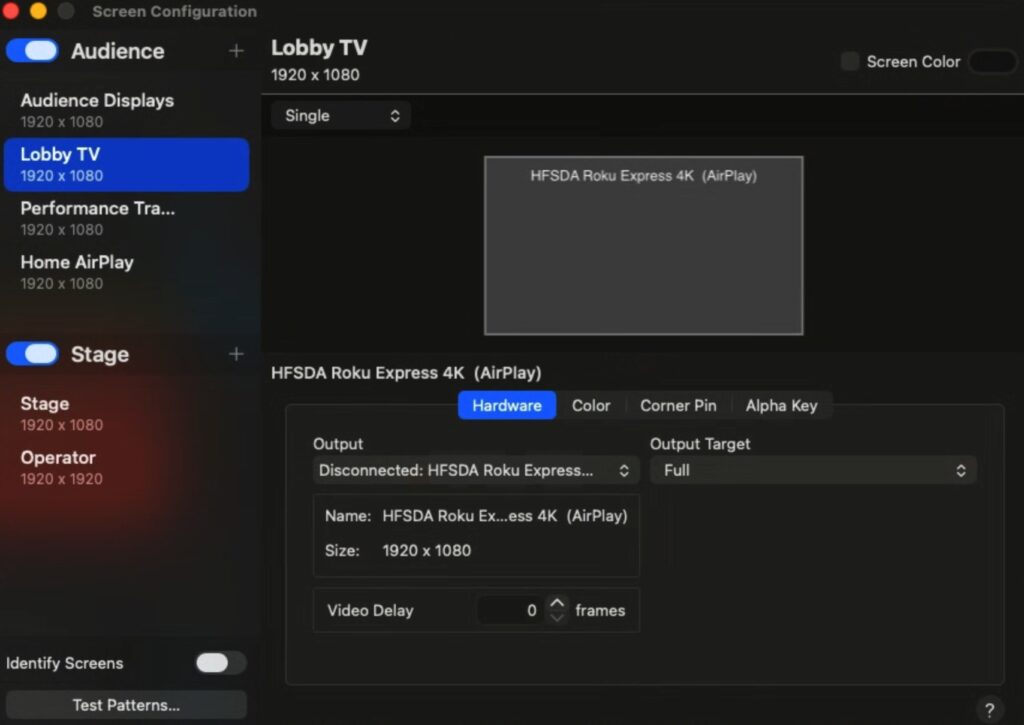
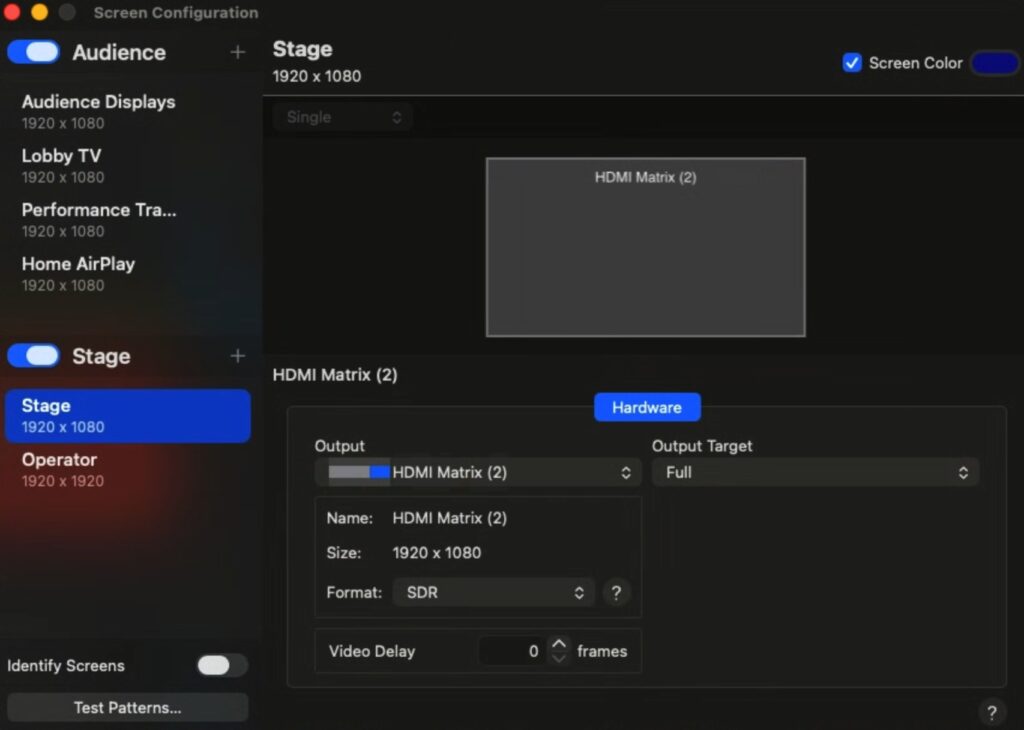
The images below document the ProPresenter Screen Configuration as well as the Mac Screen layout.
Click on any image to enlarge
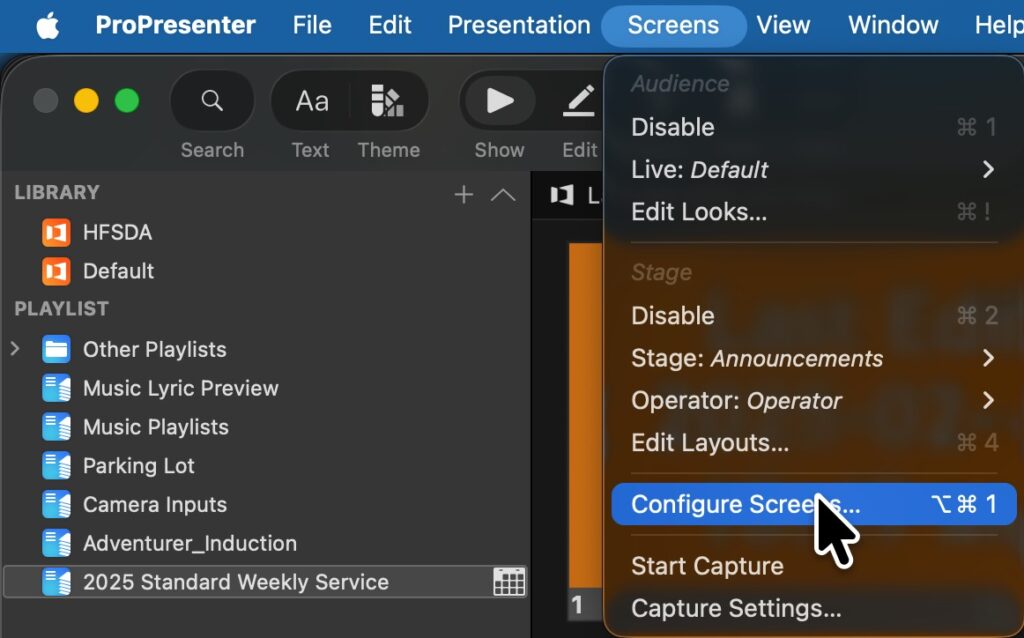
Use the ProPresenter “Screens” menu to open the ProPresenter Screen Configuration:
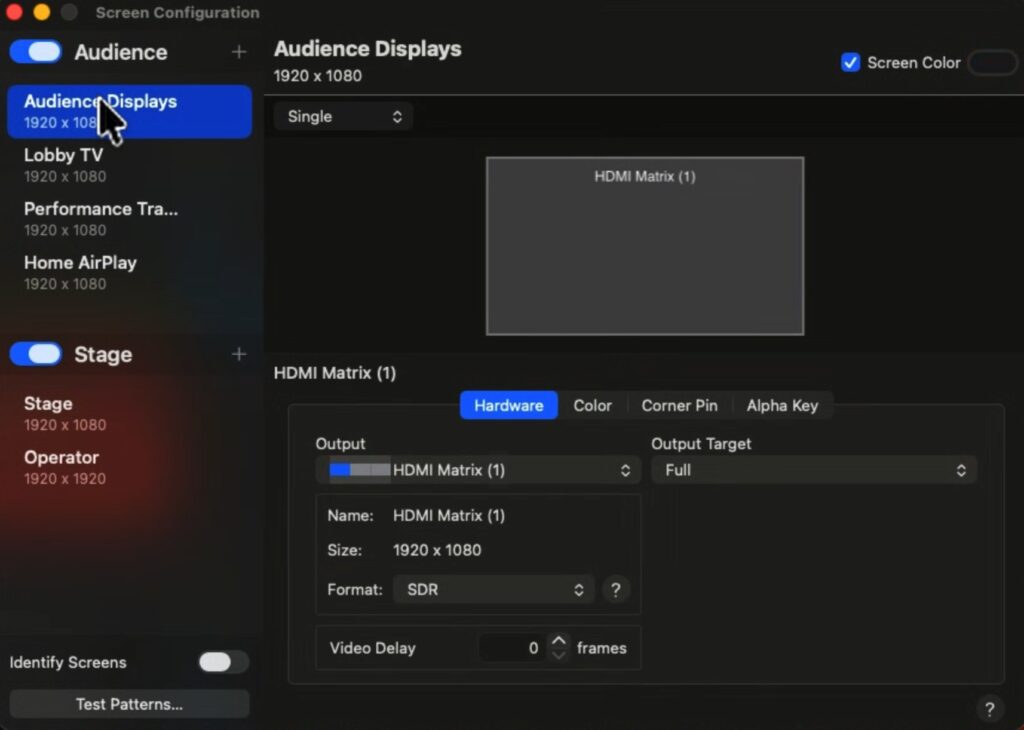
Verify that you see the following display connections:
If you need to verify the current Mac Displays attached and their arrangement:
Open the settings (grey gear icon), and select Displays.
All displays should be at a resolution of 1920 x 1080.
Use the “Arrange” button (bottom right) and verify each displays position by hovering the mouse over each one.